Skip to content
Features & capabilities

Connected operations.
From daily work to accounting.

Explore what you can manage in Invotora and how your documents, inventory and services connect to your financial results. Available in Arabic, English and French.

01 / Sales & collections

From order to payment…
Every stage is clear.

Follow orders, dispatch, shipping, delivery, invoices and collections. Keep stock movement dates distinct from invoice and payment dates.

  • Full or partial collections with the outstanding balance
  • Returns and credit notes linked to the original document
  • Carrier collections, remittance reconciliation and fees
See this area in a demo

Direct carrier synchronization requires separate implementation, connection and testing.
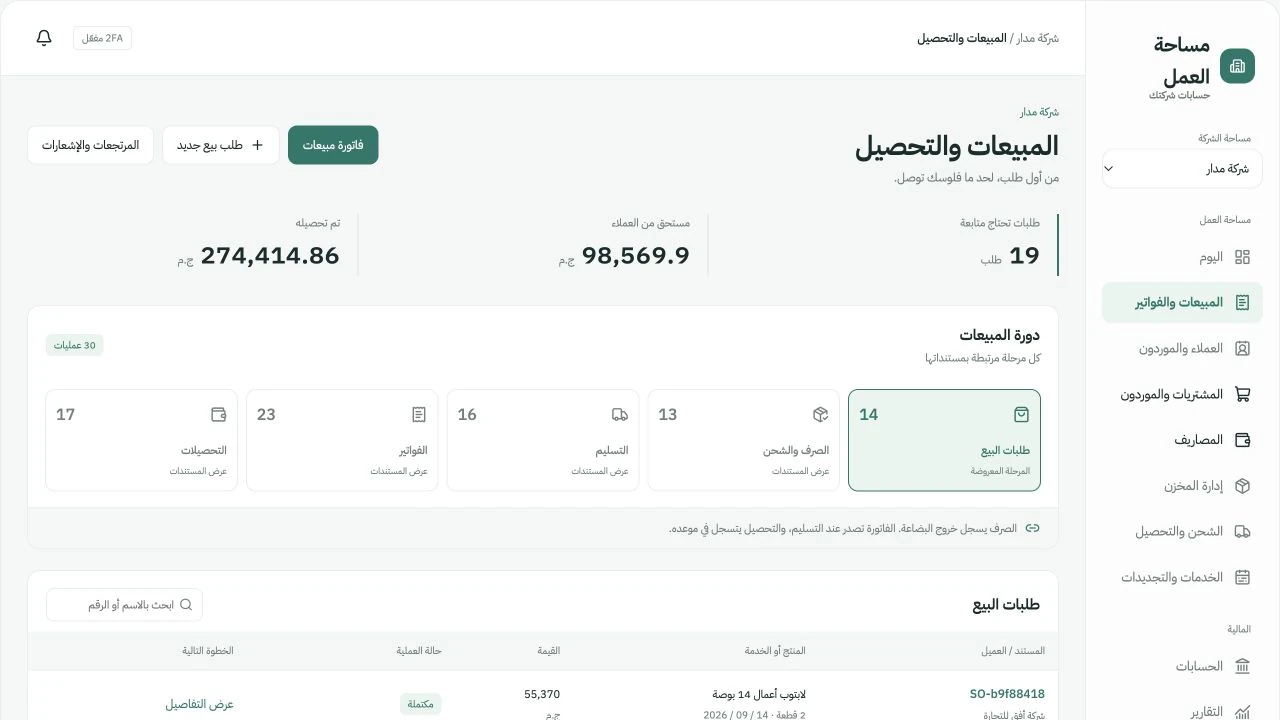
Invotora sales and collections screen with demo data

Actual Arabic portal screen · Click to enlarge

02 / Invoices & documents

A clear invoice.
With every detail.

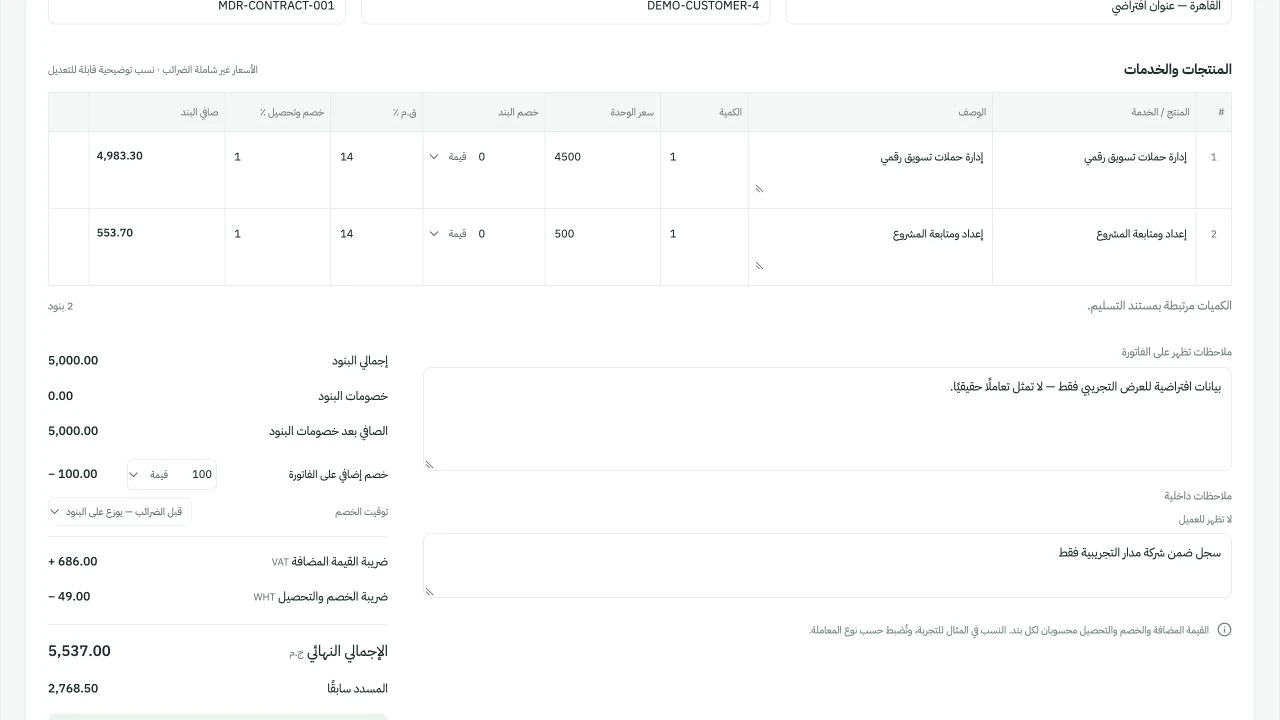
Products and services in one document, with customer details, quantities, prices, discounts, taxes and notes.

  • Pro forma to final invoice through approval
  • EGP and USD with an entered exchange rate
  • Print and save as PDF, with public links and QR codes for approved invoices
See this area in a demo

Electronic invoice and receipt submission to the tax authority is not active in the current version.

Invotora invoices and documents screen with demo data

Actual Arabic portal screen · Click to enlarge

03 / Purchasing & suppliers

Know what you ordered.
What you received. What you paid.

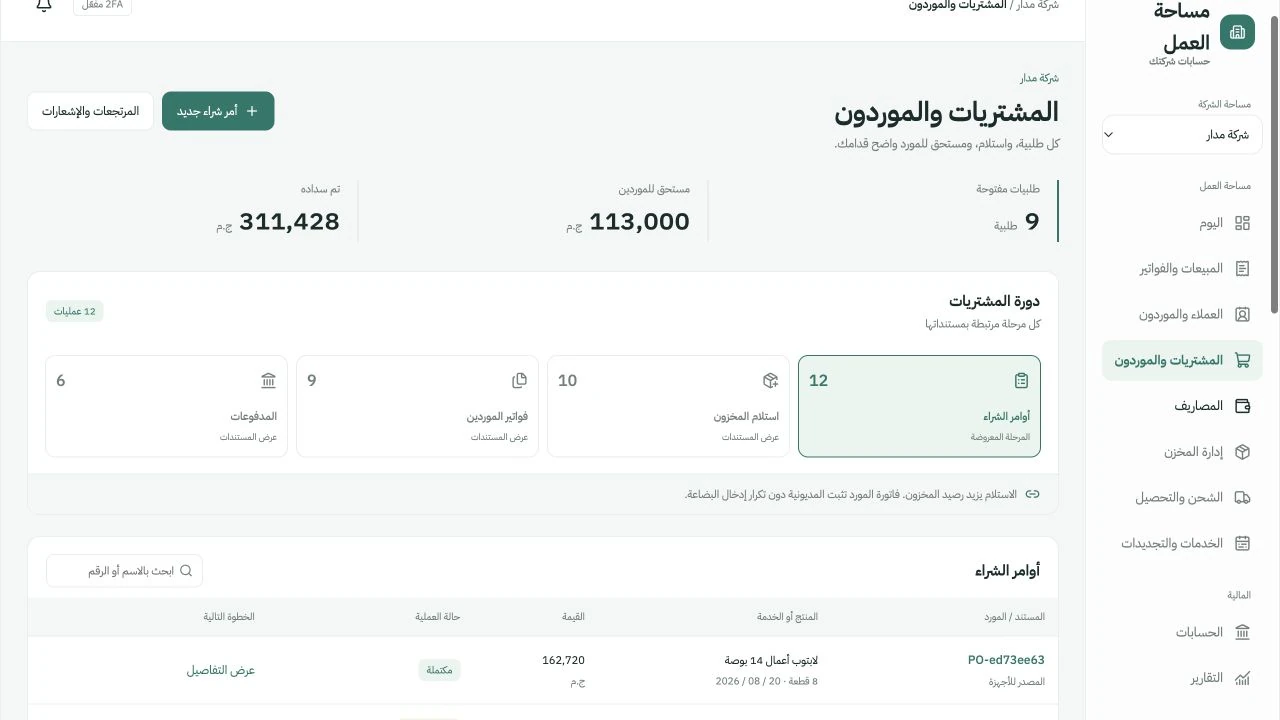
Separate purchase orders, goods receipt, supplier invoices and payments. Identify received goods that have not yet been invoiced.

  • Purchase orders linked to suppliers, items and costs
  • Goods receipt and unit serial numbers
  • Unpaid and partly paid invoices, plus supplier returns
See this area in a demo
Invotora purchasing and suppliers screen with demo data

Actual Arabic portal screen · Click to enlarge

04 / Inventory & serial numbers

Every item has a balance.
Every unit has a journey.

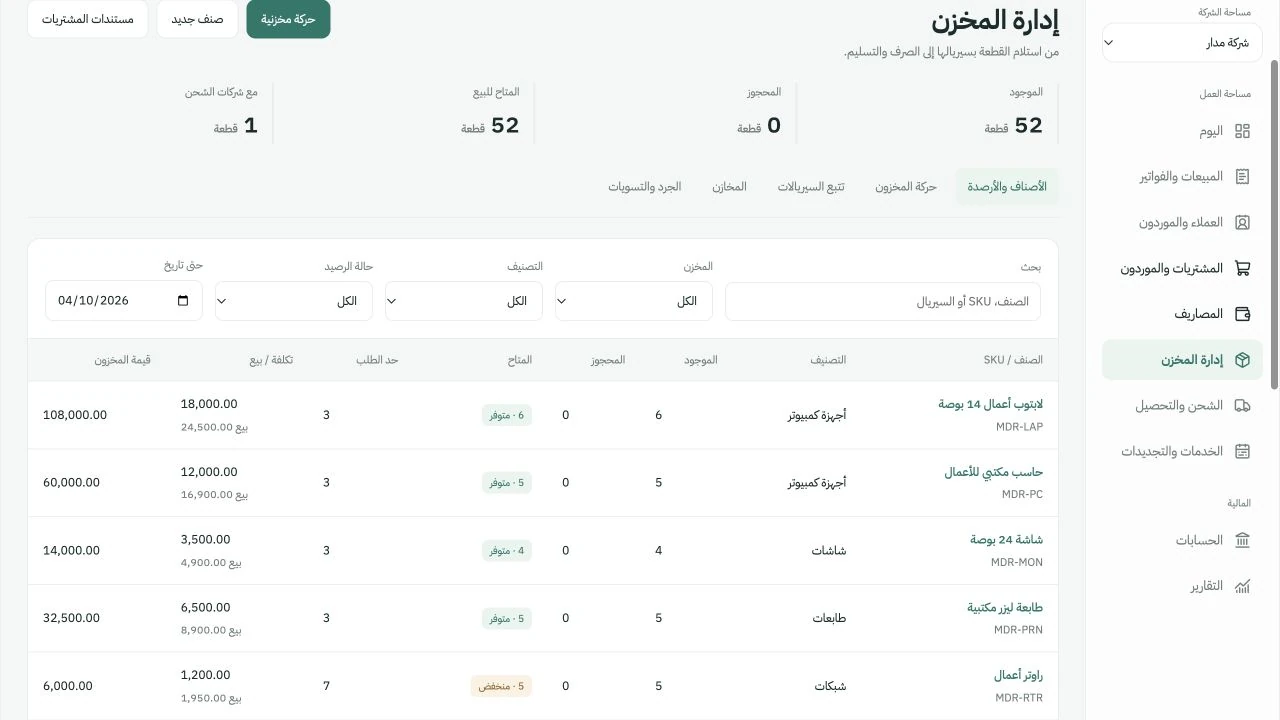
Follow receipts, dispatches and warehouse transfers. Use stock counts and adjustments to explain differences between physical and recorded stock.

  • Items, prices, costs and reorder levels
  • Track a unit’s serial number, status and warehouse
  • Transfers, returns, stock counts, valuation and movement reports
See this area in a demo

Automatic stock reservation on ordering is not part of the completed workflow yet.

Invotora inventory and serial numbers screen with demo data

Actual Arabic portal screen · Click to enlarge

05 / Services & renewals

The next renewal.
The next payment.

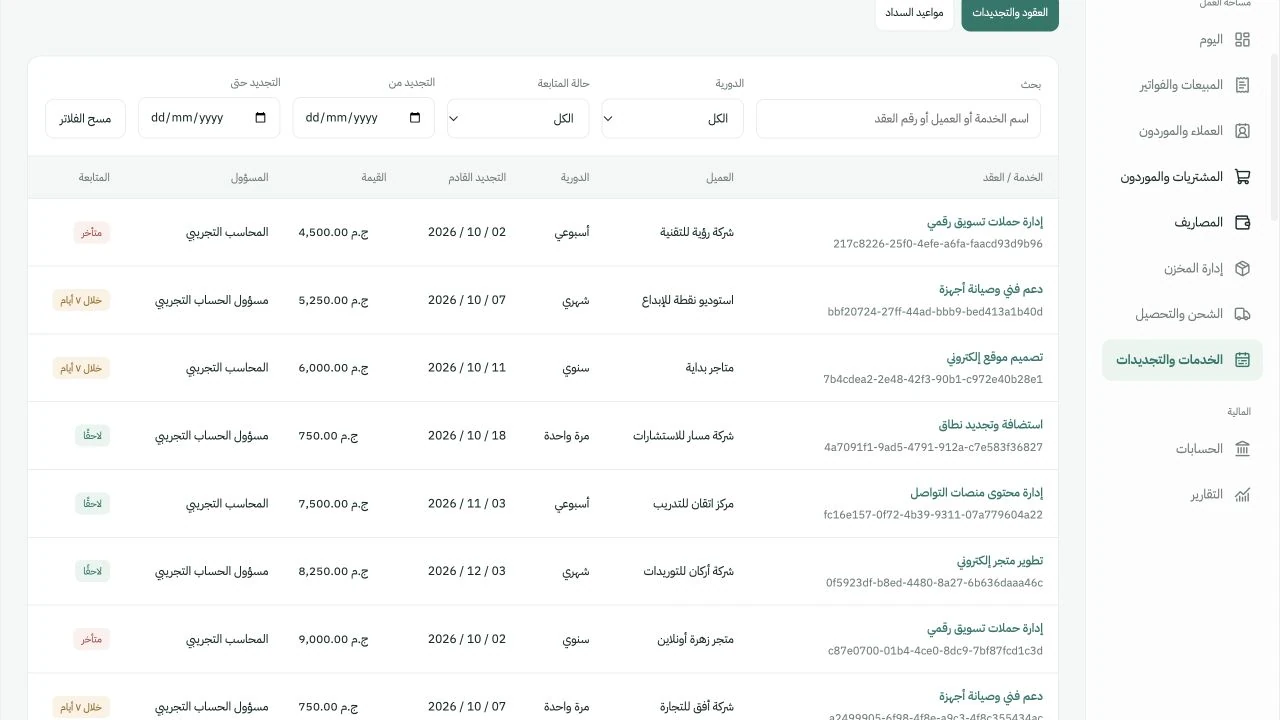
Organize weekly, monthly, annual and one-time services. Track dates and installments from your company workspace.

  • Services linked to a customer, value, frequency and owner
  • Search and filters for services and renewal dates
  • Payment schedules, recorded collections and outstanding balances
See this area in a demo

Tracking inside the portal is available. Automated email and WhatsApp messaging is not active yet.

Invotora services and renewals screen with demo data

Actual Arabic portal screen · Click to enlarge

06 / Accounting & expenses

The impact of every document.
In accounts you can review.

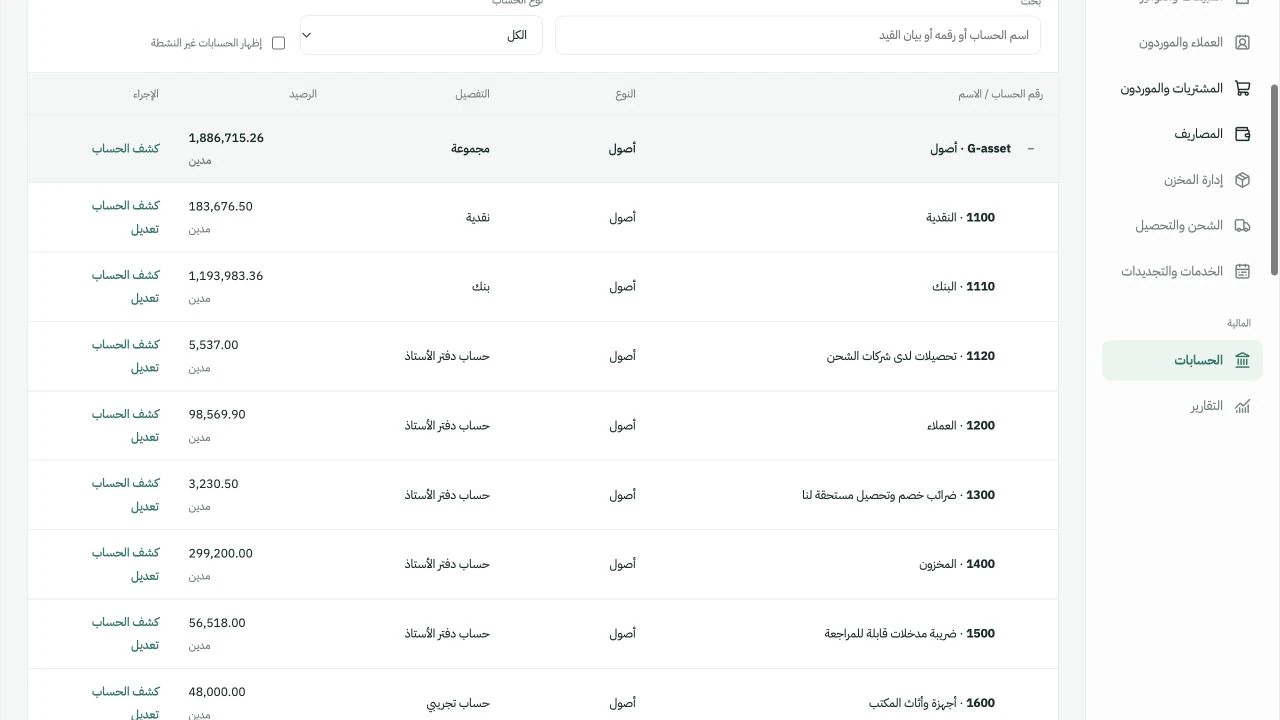
A chart of accounts and balanced entries follow approved documents. Record expenses, attach evidence and track approval and payment.

  • Import the chart of accounts and choose posting accounts
  • Entries, drafts and approvals based on user permissions
  • Expense attachments and company-linked documents
See this area in a demo

Account classifications, policies and period closing require review by your company’s accountant.

Invotora accounting and expenses screen with demo data

Actual Arabic portal screen · Click to enlarge

07 / Reports

28 report types.
A deeper view of your results.

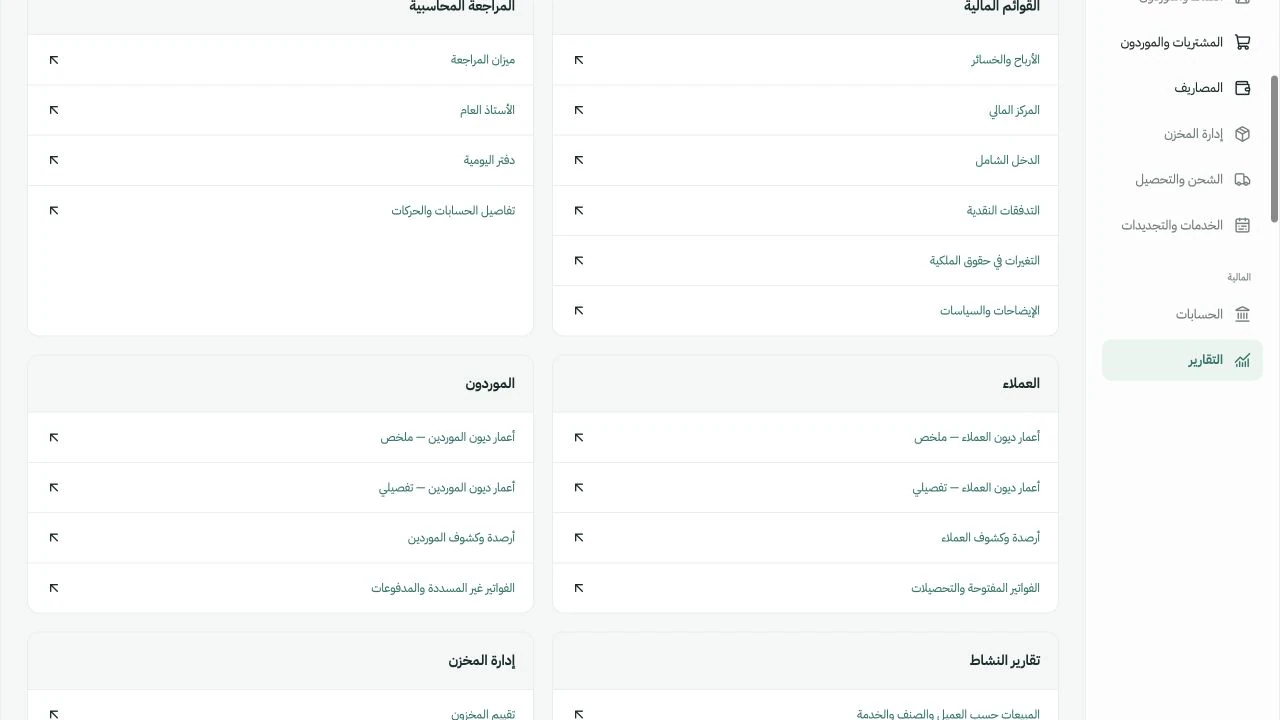
Review financial and operational reports by period and available filters, then export to PDF, Excel or Word.

  • Management: profit and loss, financial position and cash flow
  • Accounting: trial balance, general ledger and journal
  • Operations: sales, purchasing, inventory and debt aging
See this area in a demo

Current financial statements use accrual accounting. Available reports and comparisons depend on complete data and classifications.

Invotora reports screen with demo data

Actual Arabic portal screen · Click to enlarge

08 / Company setup & access

Your company identity.
Access for your team.

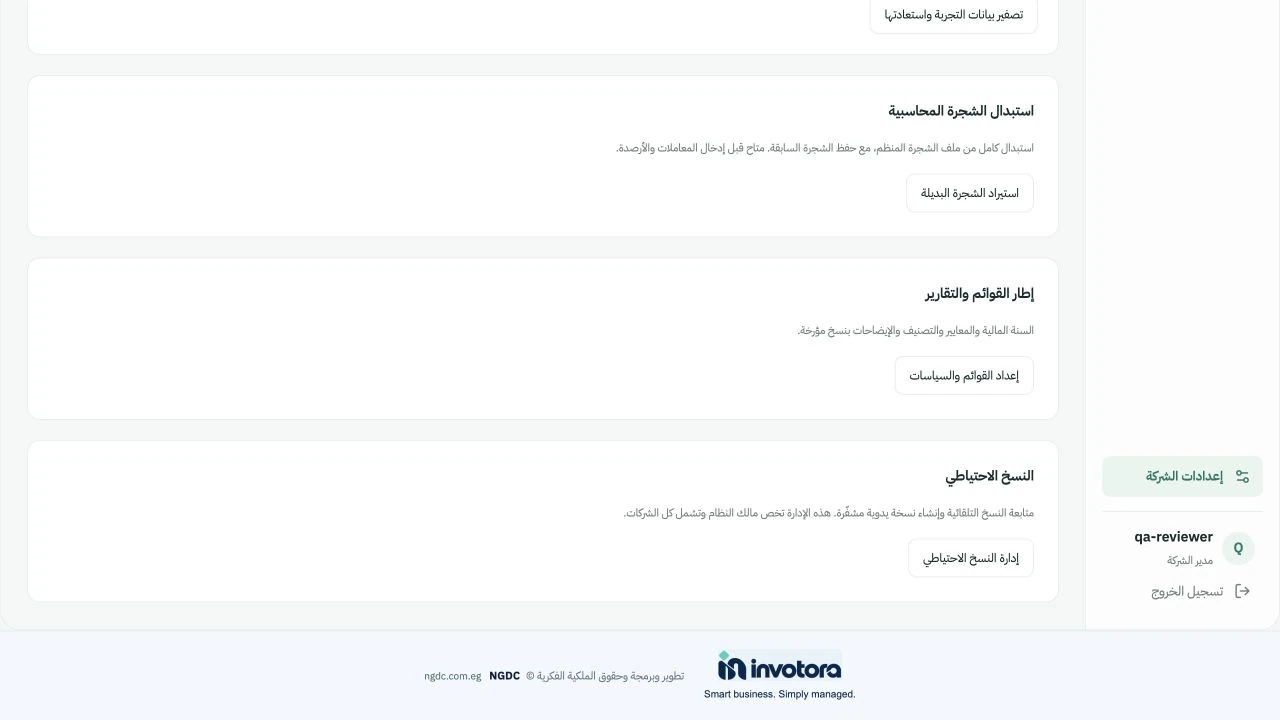
Customize your company name, logo, legal details and brand color, with records separated by the selected company.

  • Core permissions and two-factor verification
  • XLSX and CSV imports with column mapping
  • Daily encrypted backups according to hosting configuration
See this area in a demo

Separate company records do not imply separate databases. A full role customization interface is not available yet.

Invotora company setup and access screen with demo data

Actual Arabic portal screen · Click to enlarge

09 / Expenditure & advances

From a request to a settled advance.

Control spending with a clear request, manager approval and payment workflow.

  • Prepare requests and record manager approval or rejection
  • Record partial or full payments and employee advances
  • Settle advances with receipts and return unspent funds
Available in Moderate & Advanced

Clear review. Connected accounting.

Balanced entries follow approved operations, with closed-period protection and an audit trail. Search and filter records, attach documents, export to Excel or print and save as PDF.

Supporting documents and an audit trail keep each step reviewable. Recoverable VAT is handled through the existing expense and bill workflows.

Book a demo
10 / Payroll

Monthly payroll. Ready for review.

Manage monthly payroll in Egyptian pounds, from employee records to salary approval and payment.

  • Employee records, salary components, allowances and deductions
  • Review gross pay, net pay and employer cost before approval
  • Separate preparation, manager approval and payment; print payslips
Available in Advanced

Clear review. Connected accounting.

Balanced entries follow approved operations, with closed-period protection and an audit trail. Search and filter records, attach documents, export to Excel or print and save as PDF.

Tax and insurance amounts are entered and reviewed by your accountant. Automatic statutory calculations, filing, attendance and leave management are outside the current scope.

Book a demo
11 / Fixed assets

Know what you own. Track its value.

Keep an asset register connected to acquisition, depreciation and disposal entries.

  • Record acquisition cost, serial number, location and custodian
  • Set useful life and residual value; post full-month straight-line depreciation
  • Track book value and disposal gains or losses
Available in Advanced

Clear review. Connected accounting.

Balanced entries follow approved operations, with closed-period protection and an audit trail. Search and filter records, attach documents, export to Excel or print and save as PDF.

The current workflow covers paid acquisitions and straight-line depreciation. Opening asset imports, supplier-bill linkage, revaluation and impairment are outside the current scope.

Book a demo

Invotora is available in three languages: Arabic, English and French. The screenshots on this page show the Arabic interface.

AI assistant

Tell it what you need.
Let it do the work.

An assistant inside Invotora that checks balances and customer positions, creates invoices and generates reports from your instructions.

The AI assistant is included in the proposed Advanced plan.

Example instructions
Check balances
Review a customer’s position
Create an invoice
Generate a report
Integrations

Every connection starts
with a clear scope.

Discuss connecting Invotora to your sales, shipping and communication channels. We define implementation and testing requirements before activation.

Require completion before activation

  • WooCommerce and carrier synchronization
  • Automated email and WhatsApp messaging
  • Electronic invoice and receipt submission to tax authorities
  • Android and iOS apps, and scheduled email reports

Integration settings in the portal do not mean the connection is already active.

See how Invotora fits the way you work

A demo using sample data, a conversation about your workflow, and a clear scope for your company.

Book a demo
Book a demo for your business