HR & payroll
Employee records, contracts, leave, monthly salaries, bonuses and deductions. An attendance API connects approved hours and adjustments to payroll. Included in Advanced.

Bring sales, purchasing, inventory, payroll, assets and spending together in one connected workspace. Follow every step from order to payment, and understand your business from one place.
An AI assistant that carries out your instructions inside the portal.
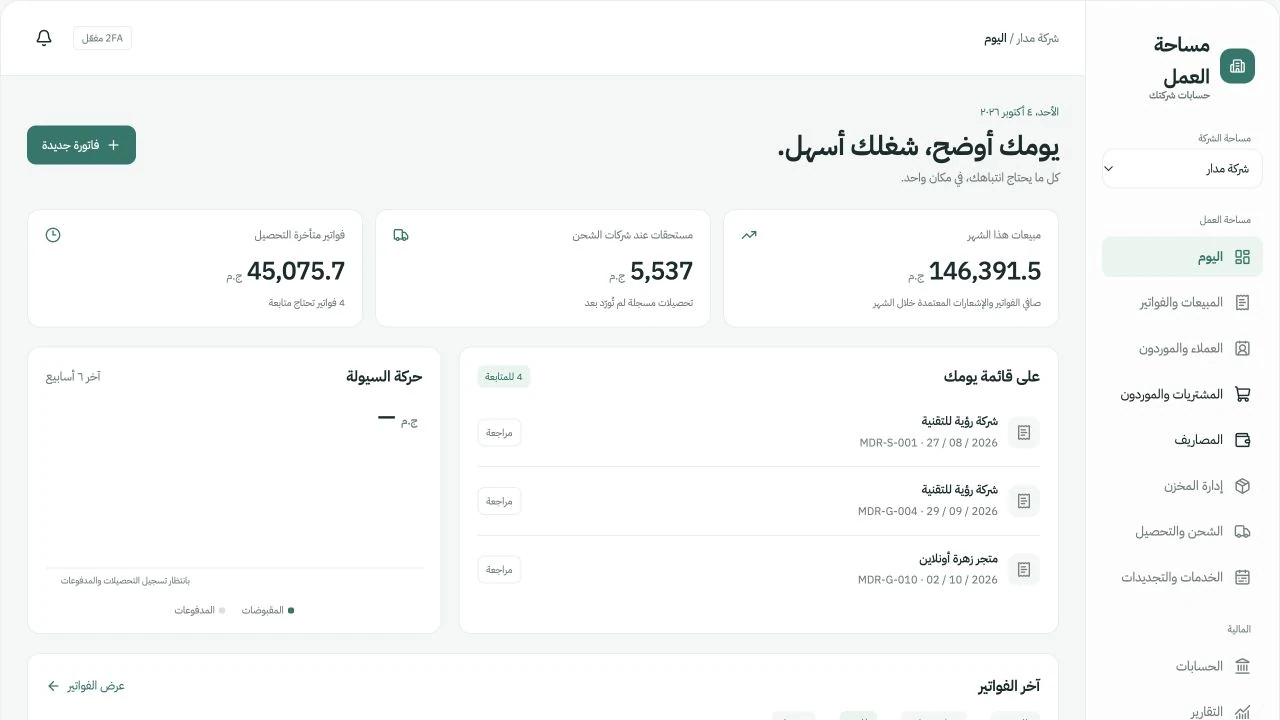
Built for daily operations
From order to payment
For finance, management and operations
Within authorized access
Availability follows your plan and company setup.
Employee records, contracts, leave, monthly salaries, bonuses and deductions. An attendance API connects approved hours and adjustments to payroll. Included in Advanced.
Bring bookings from your existing system into accounting. Track collections, each provider’s agreed share, your commission and provider settlements. Included in Advanced.
Upload a photo or PDF, or read a supported electronic invoice QR link. The smart assistant extracts details for your review before approval. Included in Advanced, within company usage limits.
Record assets, monthly depreciation and disposal, with their accounting effects. Included in Advanced.
Follow spending requests through manager approval, payment and advance settlement. Included in Moderate and Advanced.
Prepare WooCommerce and Shopify connections in company settings. Import opening balances from Excel with validation and review. Each connection requires authorization and testing.
Connect your documents to stock movements, payments and accounting, instead of following each process in a separate place.
Track sales and full or partial payments. See what each customer owes and what is overdue.
Explore the sales workflowKnow what you ordered and received. Follow stock balances, warehouse movements and each unit’s serial number.
Explore inventory managementReview service payments and renewal dates, and understand your business through financial and operational reports.
Explore services and reportsConnected workflows with approvals, permissions and supporting documents, according to your plan.
Control spending with a clear request, manager approval and payment workflow.
Explore the workflowManage monthly payroll in Egyptian pounds, from employee records to salary approval and payment.
Explore the workflowKeep an asset register connected to acquisition, depreciation and disposal entries.
Explore the workflowInvotora is available in three languages: Arabic, English and French. The screenshots on this page show the Arabic interface.
An assistant inside Invotora that checks balances and customer positions, creates invoices and generates reports from your instructions.
The AI assistant is included in the Advanced plan.
The sales workflow shows each transaction’s status and keeps stock movement, invoicing and payment dates distinct.
Customer, items, quantities and value.
Stock movements and serial numbers.
Record delivery to the customer.
Approve the document and its details.
Collected, outstanding and due amounts.
Explore the use case closest to your business, then discuss the right workflow setup with our team.
Items and serial numbers, purchasing and warehouses, sales, shipping and collections.
Explore the trading solutionCustomer records, product and service invoices, payment schedules and renewal dates.
Explore the service solutionRecurring services and contracts, expenses and receivables, with reports to understand results.
Explore the agency solutionChoose a report, a period and the relevant filters. Review your company’s results and export to PDF, Excel or Word.
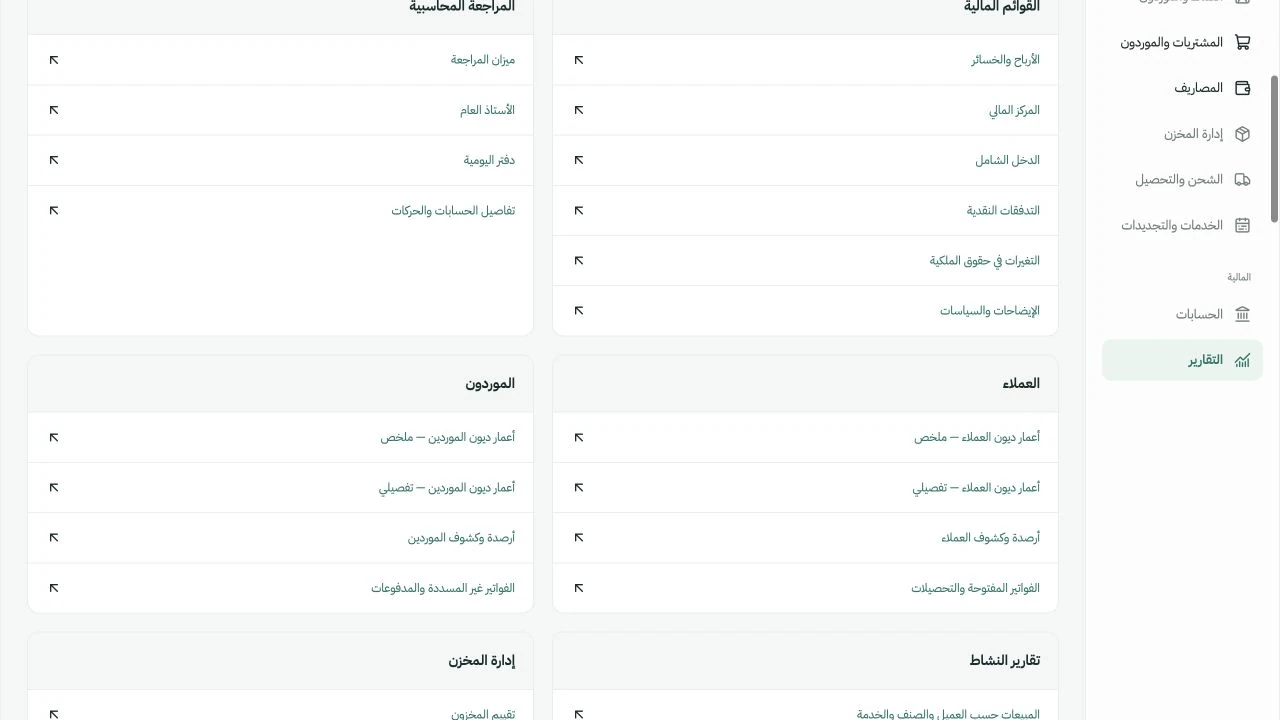
Use your company name, logo and legal details throughout your workspace and documents, with records separated by the selected company.
Import your chart of accounts, customers, suppliers and company details from XLSX or CSV files, with column mapping and conflict review.
Import opening balances from Excel during welcome setup or company settings. Review and balance the file before posting. Historical transactions need a separate migration plan.
Setup and import detailsYes. Expenditure, advances and approvals are in the Moderate and Advanced scope; monthly payroll and fixed assets are in Advanced. Tax and insurance amounts are entered by your accountant; the current depreciation method is straight-line.
Invotora is available in three languages: Arabic, English and French. The screenshots on this page show the Arabic interface.
It checks balances and customer positions, creates invoices and generates reports from instructions inside the portal. See these tasks in your demo.
Yes. It combines items and inventory with services, invoices and collections. A demo helps you check whether the current workflow fits your company.
You can save a pro forma invoice without posting it to accounting, then convert it to a final invoice through approval. USD invoices use an entered exchange rate and are posted in EGP.
Compatible files can be used to import your chart of accounts, customers, suppliers and company details. Full history, transactions and balances require file review and reconciliation.
You can create companies with separate records and grant access to authorized users. Hosting and permissions are defined during service setup.
WooCommerce and Shopify connection settings are available. Shipping and messaging connections require configuration and testing for your company. Egyptian tax submission is a separately scoped option.
Mobile applications are in development. Use the web portal today; store availability will be announced separately.
Complete the demo request with your business type, users, data and integration needs. We review your requirements and provide a quote with a clear scope.
A demo using sample data, a conversation about your workflow, and a clear scope for your company.
Our team will contact you to confirm your needs and activate your trial. The 14 days begin after activation.